

Most Ukrainian companies are already operating within the Microsoft 365 environment. Every day, employees use Outlook, Teams, Word, Excel and SharePoint, but the potential of this ecosystem is much greater than it seems at first glance.
In addition to the familiar office applications, Microsoft offers a platform that enables the automation of business processes without the need for time-consuming and resource-intensive traditional development.
This is precisely why the Microsoft Power Platform was created — a set of low-code tools that helps companies digitise manual processes, automate approvals, work with corporate data, create their own applications and integrate them with their existing IT infrastructure.
Why businesses should review their processes
In many companies, employees carry out dozens of repetitive tasks every day. How much time is spent filling in yet another form, sending an approval request by email, entering the same data into two different spreadsheets, or trying to remember who currently has an important document for approval?Each of these actions may seem like a minor 5-minute task. But on a company-wide scale, this amounts to hundreds of man-hours lost every month.
Such processes have another issue — they rely on the human factor. An email may get lost amongst dozens of others, approval may be delayed because a manager is on holiday, and data across different documents may become inconsistent. As a result, the business faces delays, errors, a lack of transparency and difficulties in monitoring.
Automation does not change the logic of the business process itself. It changes the way it is carried out: the system takes over routine tasks, monitors the sequence of actions, sends reminders about deadlines, generates documents and provides a single source of reliable data.
What is the Microsoft Power Platform
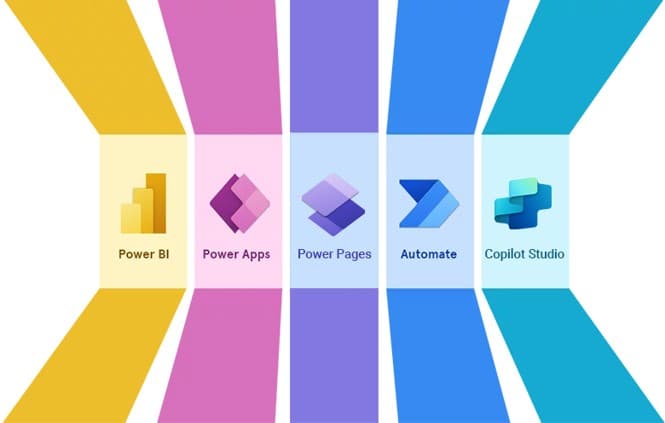
Microsoft Power Platform is an ecosystem of solutions for digitising a company’s internal operations. It enables organisations to create corporate applications, configure approval workflows, consolidate information from various sources and generate clear management analytics without lengthy development.The platform includes:
- Power Apps — creating corporate web and mobile applications without the need for traditional programming
- Power Automate — automation of business processes, approvals, notifications and integrations between systems
- Microsoft Dataverse — a centralised repository for corporate data with support for access roles and change logging
- Power BI — building interactive analytics and management dashboards
- Microsoft Copilot — an AI assistant for working with data and documents and for automating specific tasks.
From application to approval in a matter of minutes: how holiday process automation works
To demonstrate the capabilities of the Power Platform in practice, let’s look at one of the processes automated at BDO in Ukraine: arranging and rescheduling leave.Let’s imagine a typical scenario. An employee has decided to reschedule the planned holiday.
Just a year ago, this meant phone calls, email correspondence, searching for the right application template, getting approval from a manager, submitting documents to HR and constantly checking: “Has my application been approved yet?”.
It might seem like a simple task. But in practice, it involved dozens of manual steps, took up the time of several people at once, and often led to errors or delays.
Following automation, this very same process looks completely different.
An employee opens the corporate app on the laptop or smartphone. There’s no need to remember usernames or passwords — authorisation happens automatically via the Microsoft 365 corporate account.
The home screen already displays all the necessary information: the number of available holiday days, planned periods, their status and a history of previous changes. Employees no longer need to contact HR to check their remaining days or search for old documents — all the information is available in one place.
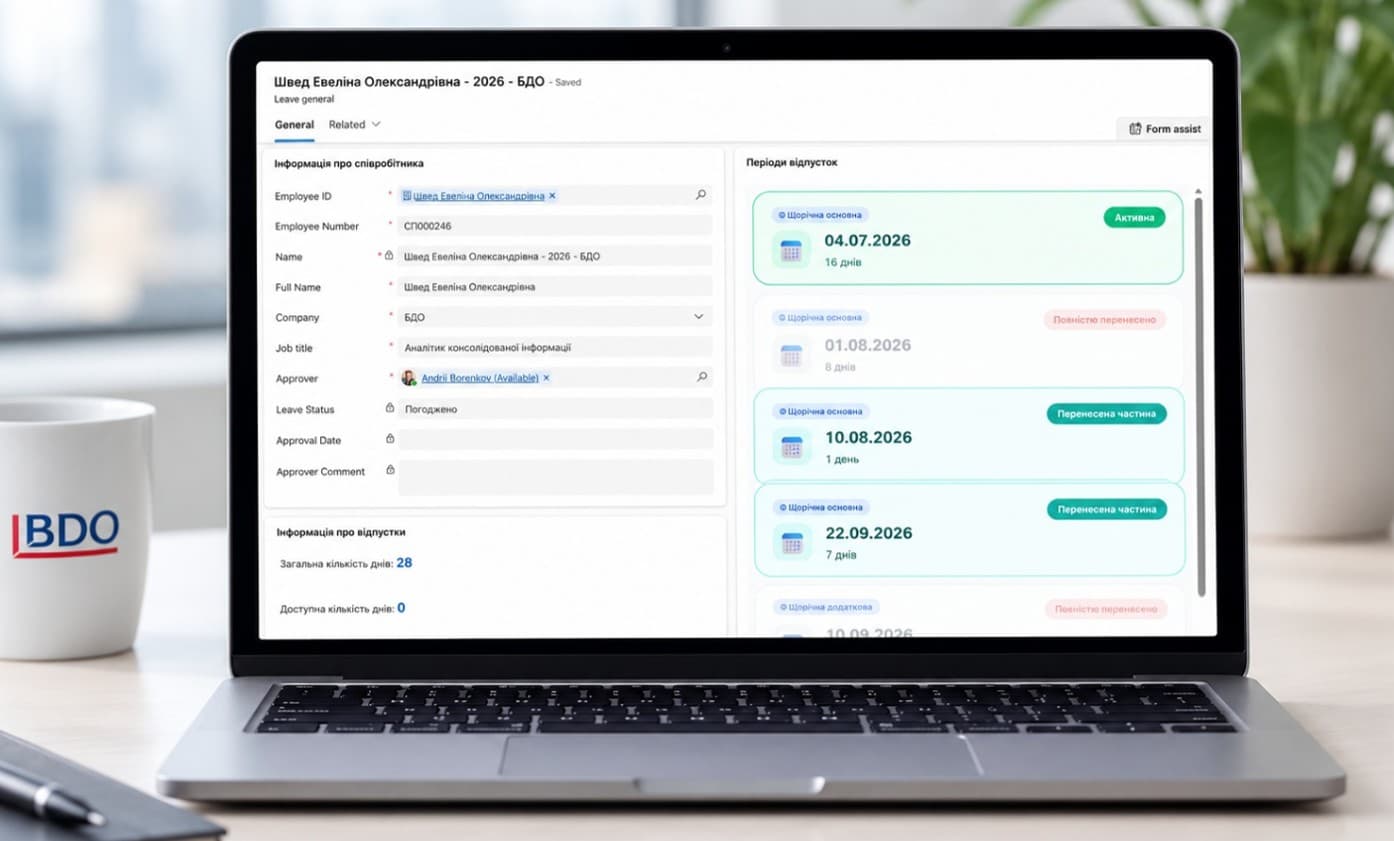
Next, the employee simply selects the holiday to reschedule. The system automatically retrieves all the necessary details: start date, duration, remaining days and holiday type. The employee does not need to re-enter anything manually or worry about making a mistake with the figures.
All he or she needs to do is enter the new date and the reason for the change.
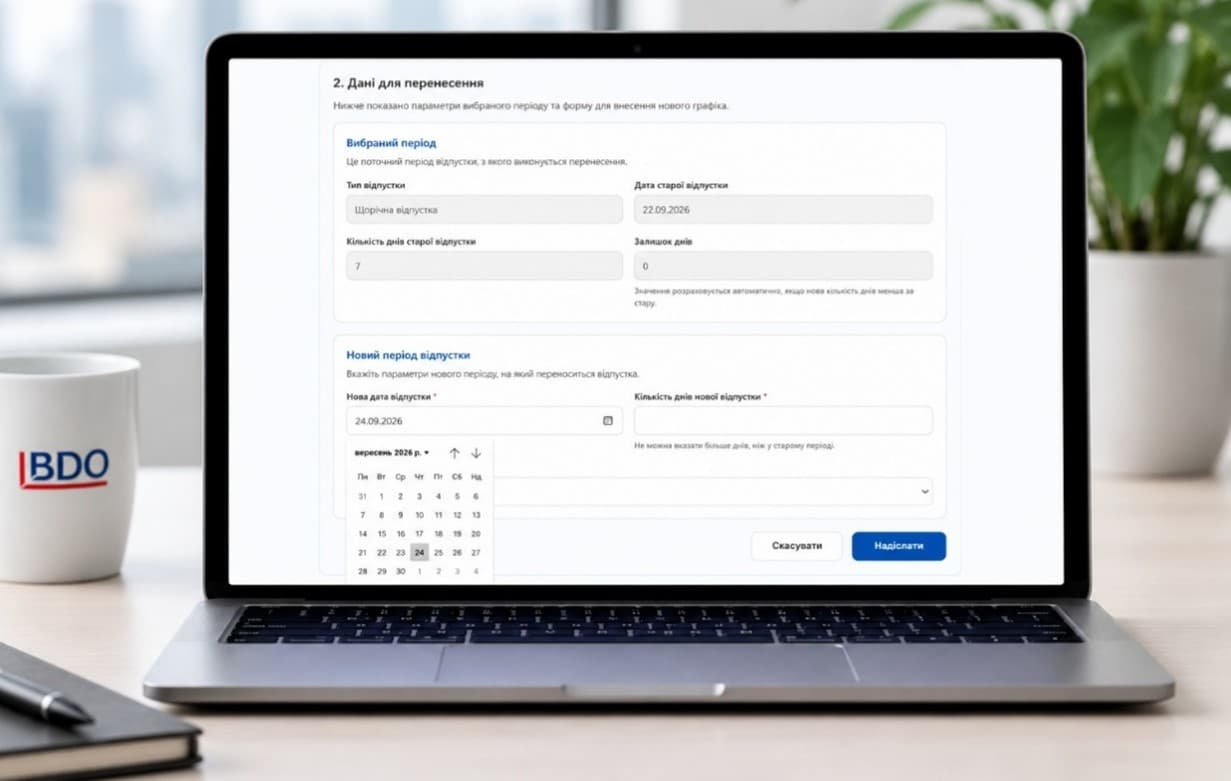
But this is where true automation begins.
The system doesn’t just store the data entered. It immediately checks whether it complies with corporate policies.
If an employee decides to reschedule only part of the holiday, the application automatically checks compliance with legal requirements and the company’s internal policies.
For example, if, after the split, there is not at least one continuous period of 14 calendar days remaining, the system will report an error and will not allow the process to be completed.
This prevents situations where an incorrectly completed application is returned for revision after it has already been submitted.
If, however, an employee chooses to carry over only part of the leave, the system offers pre-defined options: to leave the unused days in the current period or to carry them over to another date straight away. In both cases, all calculations are performed automatically, and the user simply needs to select the required option.
Once the “Submit” button is clicked, the process moves on to the next phase.
Without any further action required, Power Automate initiates the full business process workflow. An official application is generated, all approvers are automatically identified, and notifications are sent to the manager, the HR department and the employee themselves. The document is created using a corporate template and sent to all relevant parties in a matter of minutes.
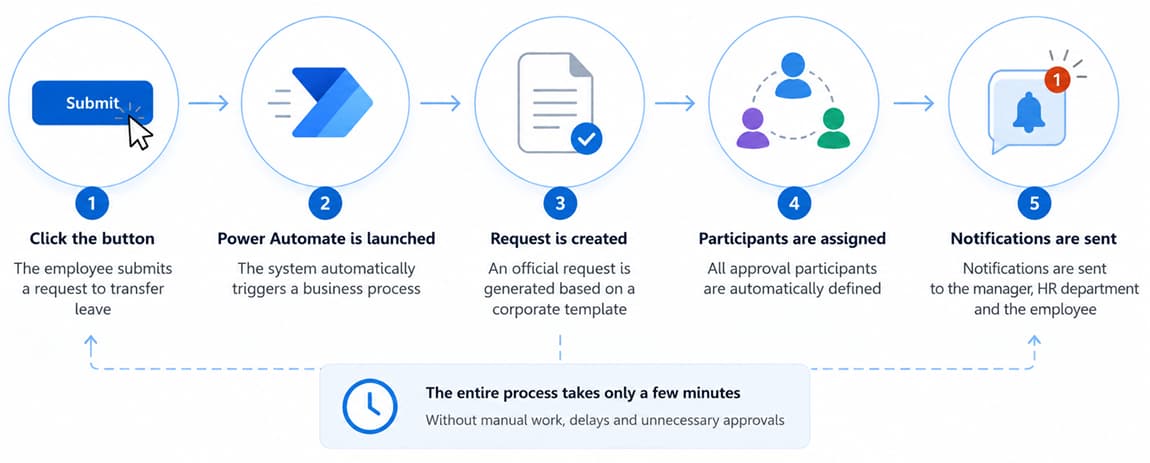
This means the employee no longer needs to make phone calls or send emails asking, “What stage is my application at?”. The process status is displayed directly within the system.
Once approval is complete, the holiday schedule is updated, and all changes are automatically saved in the process history. Furthermore, on the eve of their planned holiday, the employee receives an automatic reminder of the start date.
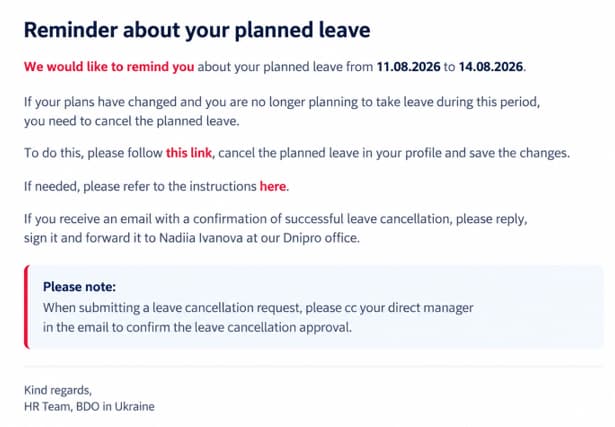
From the user’s perspective, the whole process is surprisingly simple: just a few clicks and a few minutes of your time.
Meanwhile, in the background, a dozen automated workflows are running: checking rules, calculating remaining days, generating documents, initiating approval, sending notifications, updating corporate data and logging all actions performed.
This is precisely where the main value of the Power Platform lies. It does not simply convert a paper application into an electronic form. It automates the entire business process — from the employee’s first action to the final update of data in the corporate system.
Findings of the staff survey
After launching the new process, we conducted a short, anonymous survey. It was important for us to assess not only the technical aspects of the solution but also the actual user experience: whether the process had genuinely become more convenient and how much time it saved in day-to-day work.Participants rated, on a 5-point scale, how simple and user-friendly the new process was, whether it took less time, whether they could manage without HR assistance, and how satisfied they were with the update overall.
The results confirmed that digitising even a single local process significantly improves the quality of the working environment.
Key figures from the evaluation results: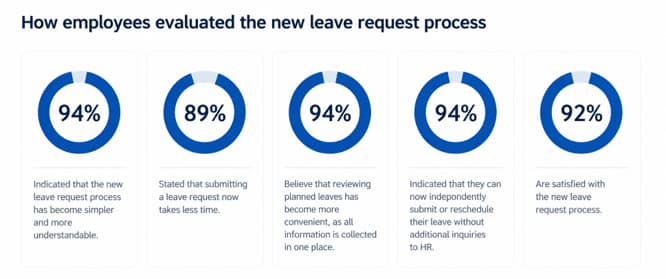 The feedback gathered also helped identify areas for further development of the service. This reaffirmed that successful automation is not just about introducing a new tool, but also about continuously improving processes based on user experience.
Beyond annual leave: other automation scenarios
A similar approach can be applied to virtually any internal company process.For example:
- contract approval
- purchase requests
- payment approvals
- business travel
- corporate asset management
- HSE checks and inspections
- incident reporting
- ESG processes
- internal service requests
- risk and audit management.
In fact, any process that has a defined structure, approval workflow, documentation and designated responsible persons can be automated.
Why companies choose the Power Platform
One of the main advantages of the Power Platform is that it utilises the existing Microsoft corporate ecosystem. Companies do not need to implement a separate automation platform or build complex integrations from scratch.The solutions work within the Microsoft 365 ecosystem, utilise the corporate authentication system, support a role-based access model and meet corporate security requirements.
Furthermore, the low-code approach significantly reduces development times. Whilst building a traditional information system can take months, individual business processes on the Power Platform can be implemented much more quickly, with the option to scale up later.
Another key advantage is flexibility. As the business grows, solutions can be enhanced with new features and integrated with external systems, such as ERP, CRM or electronic document management services, without the need to completely overhaul the architecture.
Integration with Microsoft Copilot creates additional opportunities. In the future, it can be connected to already automated processes to assist staff. For example, Copilot can provide the status of a request, explain the next step in the process, draft a message or help analyse data accumulated in the system.
Conclusion
For most companies, digital transformation is no longer a matter for the future — it is becoming a prerequisite for effective business management.Microsoft Power Platform enables organisations to move from isolated manual tasks to end-to-end digital processes, in which data, documents, approvals, communications and analytics work together as a single system.
For organisations already using Microsoft 365, this is the logical next step in the development of their corporate ecosystem. Automation not only reduces the time taken to carry out routine tasks, but also increases process transparency, reduces errors, improves control and lays the foundation for the future use of artificial intelligence tools.
The team of BDO in Ukraine helps organisations navigate this journey comprehensively — from analysing existing processes and identifying priorities for automation to developing, implementing and further refining solutions based on the Microsoft Power Platform. We tailor solutions to your company’s structure, internal policies, approval systems and security requirements, ensuring that automation does not complicate your work but genuinely makes it faster, clearer and more manageable.
Ready to take the next step? Get in touch with us.